
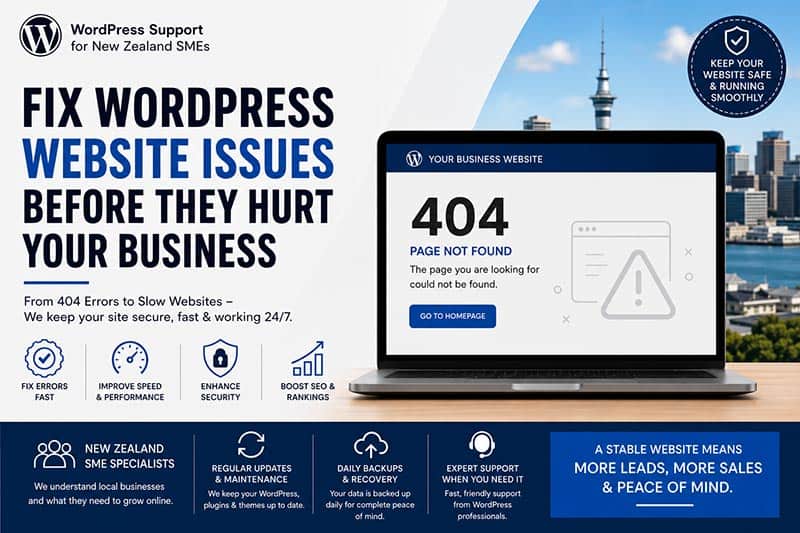
For many small and medium-sized businesses (SMEs) in New Zealand, WordPress is the preferred website platform. It is affordable, flexible, SEO-friendly, and widely used across industries such as construction, hospitality, healthcare, retail, tourism, real estate, and professional services.
However, many NZ business owners only realize the importance of website maintenance when something suddenly goes wrong.
A website that worked perfectly yesterday may suddenly display a 404 error, broken layout, plugin conflict, security warning, or even completely crash after an update. These issues are extremely common among SME WordPress websites in New Zealand — especially websites that were built years ago and have not been properly maintained.
This article explains the most common WordPress problems affecting New Zealand SMEs and how businesses can prevent downtime, lost leads, SEO damage, and customer trust issues.
The Reality of SME WordPress Websites in New Zealand
Many SME websites in New Zealand were built quickly using themes, page builders, and plugins without a long-term maintenance strategy.
Common situations include:
- The website was built years ago by a freelancer or agency
- The original developer is no longer available
- Plugins have not been updated regularly
- Hosting environments are outdated
- Backups are missing
- No ongoing SEO or technical monitoring exists
As businesses grow, websites become more complex. Over time, outdated systems start creating technical problems that can seriously affect business performance online.
Common WordPress Issues NZ SMEs Face
1. 404 Errors on Important Pages
One of the most common problems is pages suddenly showing “404 Not Found” errors.
This often happens because of:
- Broken permalink settings
- Deleted pages
- Plugin conflicts
- Incorrect redirects
- Server migration issues
- Corrupted
.htaccessfiles
For SMEs, this can be dangerous because important service pages may disappear from search results, leading to lost enquiries and reduced SEO visibility.
Imagine a customer searching for:
- “Electrician Auckland”
- “Builder Christchurch”
- “Lawyer Wellington”
They click your website and land on a broken page. Most users leave immediately.
2. Plugin Conflicts After Updates
Many business websites use dozens of plugins for:
- SEO
- Forms
- Security
- Caching
- Booking systems
- WooCommerce
- Membership portals
- Galleries
- Sliders
When WordPress core updates or PHP versions change, older plugins can become incompatible.
Common symptoms include:
- White screen errors
- Broken layouts
- Contact forms not sending
- Mobile display issues
- Slow website performance
This is extremely common in websites using older versions of Divi, Elementor, or heavily customized themes.
3. Slow Website Speed
Website speed is now directly connected to SEO rankings and user experience.
Unfortunately, many NZ SME websites suffer from:
- Poor hosting
- Unoptimized images
- Too many plugins
- Large sliders and animations
- Unoptimized databases
- Missing caching systems
A slow website can increase bounce rates and reduce conversion rates significantly.
Google also considers website speed as part of ranking signals through Core Web Vitals.
4. Security Vulnerabilities
Outdated WordPress websites are major targets for hackers.
Common security risks include:
- Outdated plugins
- Weak passwords
- Old PHP versions
- Malware infections
- Brute-force attacks
- Spam injections
Some businesses only discover issues after Google flags their website as unsafe or customers report strange popups and redirects.
For SMEs, this can seriously damage trust and brand reputation.
5. Hosting and Server Configuration Problems
Many SMEs choose cheap hosting plans without understanding server performance or configuration requirements.
Common server-related problems include:
- Incorrect DNS settings
- SSL certificate issues
- LiteSpeed or Apache configuration errors
- PHP memory limitations
- Email delivery problems
- Broken redirects
A website may appear online but still have hidden technical problems affecting SEO and customer experience.
Why These Issues Affect SEO
Technical WordPress problems do not only affect appearance. They directly impact search engine visibility.
Common SEO consequences include:
- Indexed 404 pages
- Broken internal links
- Slow page speed
- Mobile usability issues
- Missing metadata
- Sitemap errors
- Crawlability problems
For local New Zealand businesses competing in Google search results, these issues can reduce organic traffic dramatically.
A website that is technically unstable struggles to rank consistently in search engines.
Why Many SMEs Delay Fixing Problems
Many businesses delay website maintenance because:
- “The website still works.”
- “We only update when necessary.”
- “Nobody has complained yet.”
- “We don’t want to spend money on maintenance.”
Unfortunately, WordPress problems often grow silently in the background until they become expensive emergencies.
For example:
- A hacked website may disappear from Google
- Broken contact forms may stop enquiries for weeks
- Server errors may damage SEO rankings
- Backup failures may cause data loss
Preventive maintenance is always cheaper than emergency recovery.
How NZ SMEs Can Prevent WordPress Problems
1. Regular Website Maintenance
WordPress websites should be maintained monthly.
This includes:
- Core updates
- Plugin updates
- Theme updates
- Security checks
- Backup testing
- Database optimization
Maintenance helps prevent major failures before they happen.
2. Use Quality Hosting
Good hosting matters.
Business websites should use reliable hosting providers that support:
- Fast servers
- Modern PHP versions
- SSL certificates
- Daily backups
- LiteSpeed caching
- Security monitoring
Cheap hosting often creates long-term technical problems.
3. Monitor SEO and Technical Health
Businesses should regularly check:
- Google Search Console
- Website speed
- Broken links
- Mobile usability
- Sitemap indexing
- Security warnings
Technical SEO monitoring helps identify hidden issues early.
4. Keep Plugins Minimal
Too many plugins increase risk.
Businesses should:
- Remove unused plugins
- Avoid outdated plugins
- Use trusted developers
- Replace duplicate functionality
A cleaner WordPress installation is usually faster and more stable.
5. Test Before Major Updates
Never update important business websites blindly.
Professional developers usually:
- Create backups
- Use staging environments
- Test updates safely
- Check compatibility first
This reduces the risk of downtime and layout breakage.
The Importance of Professional WordPress Support
Many SMEs in New Zealand depend heavily on their website for leads and customer enquiries.
A broken website can directly affect:
- Revenue
- Customer trust
- SEO rankings
- Online visibility
- Sales performance
Professional WordPress support is no longer only for large companies. Small businesses also need stable, secure, and optimized websites to remain competitive online.
Final Thoughts
WordPress is still one of the best platforms for New Zealand SMEs, but it requires proper maintenance and technical care.
Many common website problems — including 404 errors, plugin conflicts, slow speed, and SEO issues — are preventable with regular monitoring and maintenance.
For NZ businesses, a website is often the first impression customers see online. Keeping it secure, fast, and fully functional is essential for long-term business growth.
Instead of waiting for the next website emergency, SMEs should focus on proactive website management, technical SEO health, and ongoing WordPress maintenance to protect their online presence.