
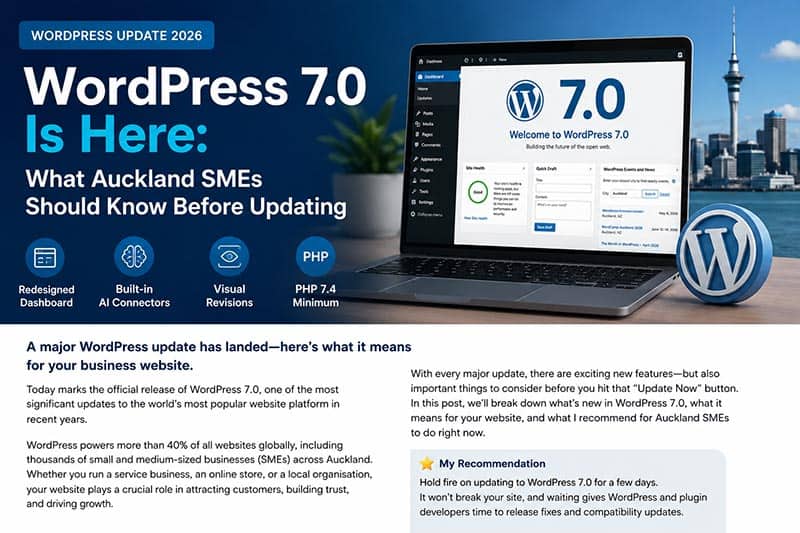
WordPress 7.0 has officially arrived, bringing one of the biggest updates to the platform in recent years. For thousands of Auckland small and medium-sized businesses (SMEs), this update could affect everything from website performance and plugin compatibility to security and future AI integration.
WordPress powers a large percentage of business websites across New Zealand because it is flexible, cost-effective, and easy to manage. However, major WordPress updates are very different from regular minor updates. While smaller updates usually focus on bug fixes and security patches, major core releases often introduce new features, interface changes, and technical requirements that can impact website stability.
If your business website runs on WordPress, understanding what this update means before clicking the “Update Now” button is extremely important.
What’s New in WordPress 7.0?
WordPress 7.0 introduces several major changes designed to modernise the platform and prepare WordPress for future web technologies, including AI-powered workflows.
Redesigned Admin Dashboard
One of the first things users will notice is the refreshed WordPress admin dashboard. The interface now looks cleaner, more modern, and easier to navigate.
The updated dashboard focuses on:
- Better user experience
- Simplified navigation
- Faster workflow management
- Cleaner design layouts
- Improved content editing usability
For SMEs managing their own websites, this may improve productivity and make day-to-day website management easier. However, users familiar with the previous dashboard layout may initially need some time to adjust.
Built-In AI Connectors
Perhaps the most talked-about feature in WordPress 7.0 is the introduction of built-in AI connectors.
Website owners can now connect WordPress with AI providers such as:
- OpenAI
- Google AI
- Anthropic
These integrations are optional, but they represent a major shift in the future direction of WordPress.
Potential uses of AI inside WordPress may include:
- AI-assisted content writing
- SEO recommendations
- Smart automation
- Customer support integration
- Content summaries
- Workflow assistance
For Auckland SMEs, this could eventually help reduce repetitive tasks and improve digital marketing efficiency.
Visual Revisions Feature
Another useful improvement is the new visual revisions system.
Previously, comparing content changes often meant reading lines of text or manually checking page differences. WordPress 7.0 now provides colour-coded visual previews showing exactly what changed on a page.
This feature is especially useful for:
- Marketing teams
- Website editors
- SEO updates
- Multi-user websites
- Content managers
It improves collaboration and reduces the risk of accidental changes.
PHP 7.4 Is Now Required
One of the most important technical changes is the new minimum PHP requirement.
WordPress 7.0 now requires PHP 7.4 or higher.
This may become a problem for older websites hosted on outdated servers. Some Auckland SMEs still use old hosting environments without realising their server software is outdated.
If your hosting environment is not compatible, updating WordPress could potentially cause:
- Plugin conflicts
- Broken website layouts
- Website errors
- Slow performance
- Website downtime
Before updating, businesses should check with their hosting provider or web developer to confirm compatibility.
Why Auckland SMEs Should Be Careful
Many small business owners assume all WordPress updates are safe to install immediately. In reality, major releases often experience minor bugs or plugin compatibility issues during the first few days after launch.
This is especially important for websites using:
- WooCommerce
- Booking systems
- Membership platforms
- Page builders
- Custom themes
- Third-party integrations
Even popular plugins sometimes need additional updates after a major WordPress release.
For businesses relying on their website for sales, leads, bookings, or customer communication, unexpected downtime can negatively affect operations.
My Recommendation: Wait a Few Days
Although WordPress 7.0 introduces exciting new features, my recommendation for Auckland SMEs is simple:
Do not rush to update immediately.
Waiting a few days allows:
- WordPress developers to release bug fixes
- Plugin developers to update compatibility
- Hosting companies to optimise systems
- Web developers to identify common issues
There is usually no major risk in delaying the update briefly, especially for business websites.
A cautious approach is often safer than being one of the first websites to update.
Best Practices Before Updating WordPress 7.0
Before installing any major WordPress update, businesses should follow a few important steps.
1. Create a Full Website Backup
Always create a complete backup before updating:
- Website files
- Database
- Themes
- Plugins
- Media files
A backup ensures your website can be restored quickly if something goes wrong.
2. Check Plugin Compatibility
Review your installed plugins and check whether they support WordPress 7.0.
Pay special attention to:
- SEO plugins
- Security plugins
- WooCommerce
- Contact forms
- Booking systems
- Payment gateways
Outdated plugins are one of the biggest causes of update issues.
3. Confirm Your PHP Version
Ask your hosting provider whether your server runs PHP 7.4 or higher.
If not, upgrading your hosting environment may be necessary before updating WordPress.
4. Update Plugins First
In many cases, updating plugins before updating WordPress itself helps reduce compatibility risks.
Developers often release plugin updates shortly before major WordPress releases.
5. Use a Staging Environment
For larger or more complex websites, testing updates on a staging site first is highly recommended.
This allows developers to identify issues safely before affecting the live website.
The Bigger Picture: WordPress Is Moving Toward AI
The inclusion of AI connectors shows that WordPress is evolving beyond traditional website management.
Over the next few years, SMEs can expect WordPress to integrate more AI-powered features into:
- Content creation
- SEO optimisation
- Customer interaction
- Website management
- Automation workflows
Businesses that stay updated with these trends may gain a competitive advantage in digital marketing and online customer engagement.
Final Thoughts
WordPress 7.0 is one of the most significant WordPress updates in recent years. While the new features are exciting, Auckland SMEs should approach the update carefully rather than rushing into immediate installation.
For business websites, stability and reliability are more important than updating on day one.
Before updating:
- Back up your website
- Check plugin compatibility
- Confirm hosting requirements
- Wait for early bug fixes
- Test carefully
A properly maintained WordPress website remains one of the best investments a small business can make in 2026. However, successful website management requires careful planning, regular maintenance, and informed update decisions.